How 10dos works
- Install the extension from the Chrome Web Store and pin it to your toolbar if you like.
- Pick 10 tasks — only the ones that matter most right now. Everything else stays off the list.
- Complete tasks one by one. When you finish one, you get a free slot.
- Choose again — put the next most important task in the empty slot, or leave it open until something deserves it.
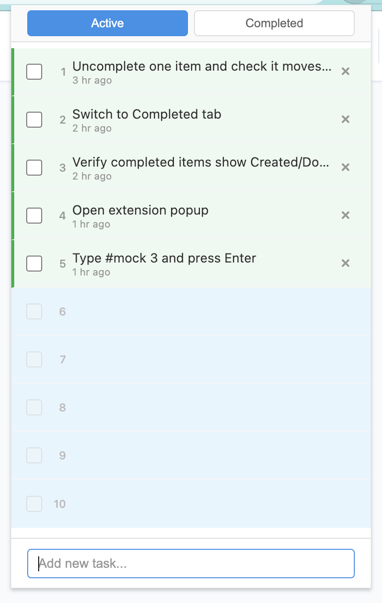
By keeping the list short, you focus on doing instead of collecting. You learn to say no to the rest and finish what’s on the list.
Urgency colors
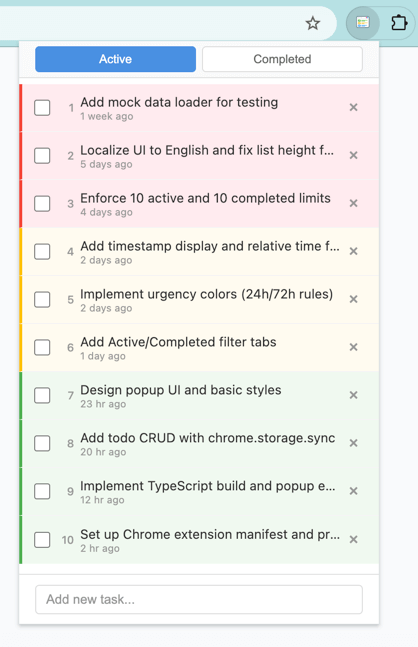
Tasks are colored by how long they’ve been on the list: green (newer), yellow (a bit older), red (oldest). The colors help you see what’s been sitting there.
Tip: If a task has moved into the red zone, it may not be as important as you thought—perhaps it never really deserved a slot. Consider removing it and freeing the space for something you’ll actually do.
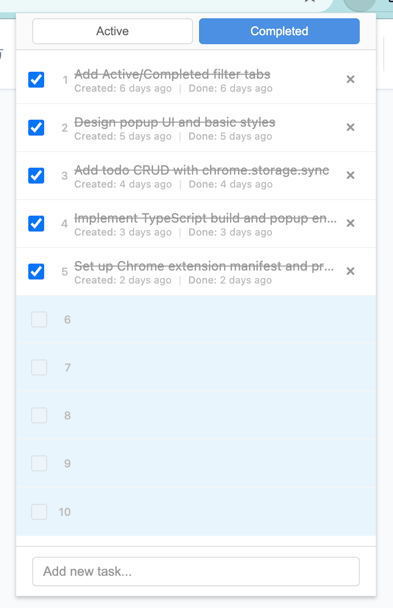
Switch to the Completed tab to see finished tasks (with created/done dates). Empty slots stay available for new tasks.
No account, no sync, no clutter. Just 10 slots in your browser.